
Plottr Affiliate Program: How to Sign Up and Use Your Links
Love Plottr? You can earn money by recommending it to other writers. Here’s how to join the Plottr affiliate program, then find and share your links.
The program runs on Tolt. You earn 20% of the first payment of every eligible purchase made by a customer credited to you, including monthly, annual and lifetime plans, Roadmap Packs, courses and anything else Plottr sells on plottr.com. Renewals don’t earn commission. Once a customer is credited to you, their later eligible purchases also earn 20% of the first payment of each purchase, even if they don’t click your link again. They stay credited to you while your affiliate account is active, even if they later click another affiliate’s link.
Commission is based on what the customer actually paid, after discounts and excluding sales tax or VAT. Payment-processor fees aren’t deducted. The 60-day first-click cookie only decides who gets credit for a new customer. If a new customer clicks more than one affiliate’s link within 60 days, the first click gets the credit.
The full terms are in the Plottr Affiliate Agreement.
What this article covers
- Part 1: How to sign up
- Part 2: How to find and share your affiliate links
- Getting paid
- Common questions
- Need help?
Part 1: How to sign up
To join, you need to be an individual 18 or older, or a company in good standing; have a real content platform with a history of genuine content; and regularly create or share content about writing, publishing, storytelling or productivity. There’s no minimum audience size. Here’s how to get started:
- Go to https://plottr.tolt.io/login. (If you open https://plottr.tolt.io and you aren’t logged in, Tolt takes you to this same page.)
-
Enter your email address in the Your email address field. Any email address works — you don’t need a business email.
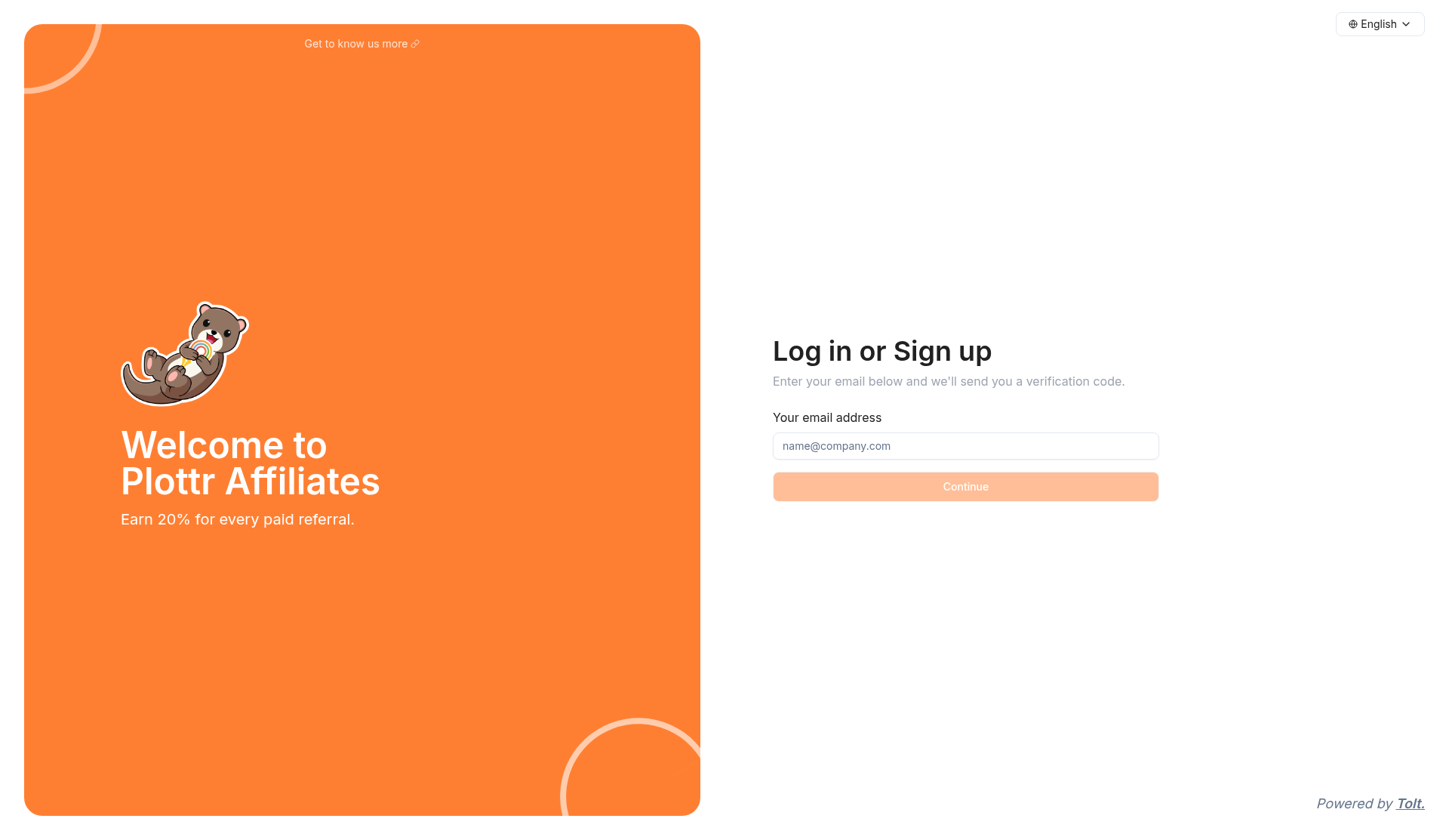
The Plottr Affiliates Log in or Sign up page, with the email field and Continue button.
- Select Continue. Tolt will email you a 6-digit verification code.
-
Enter the code and select Verify.
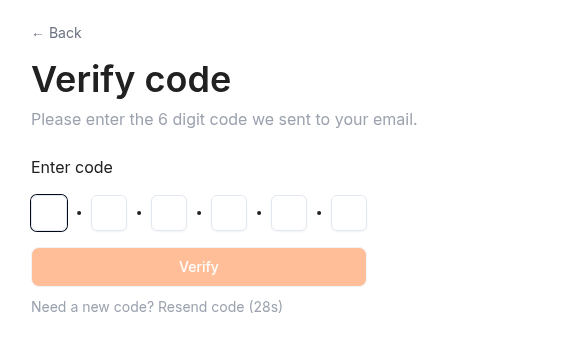
The Verify code screen.
-
Fill out the Complete your account form. Required fields are first and last name, country or region, your name, website URL, whether you already have a Plottr account (and if so your Plottr username or email, or NA), and how you’ll promote Plottr. Company name is optional. There’s a required question asking you to agree to the program terms: choose Accept, tick the Terms of Service checkbox, then select Continue.
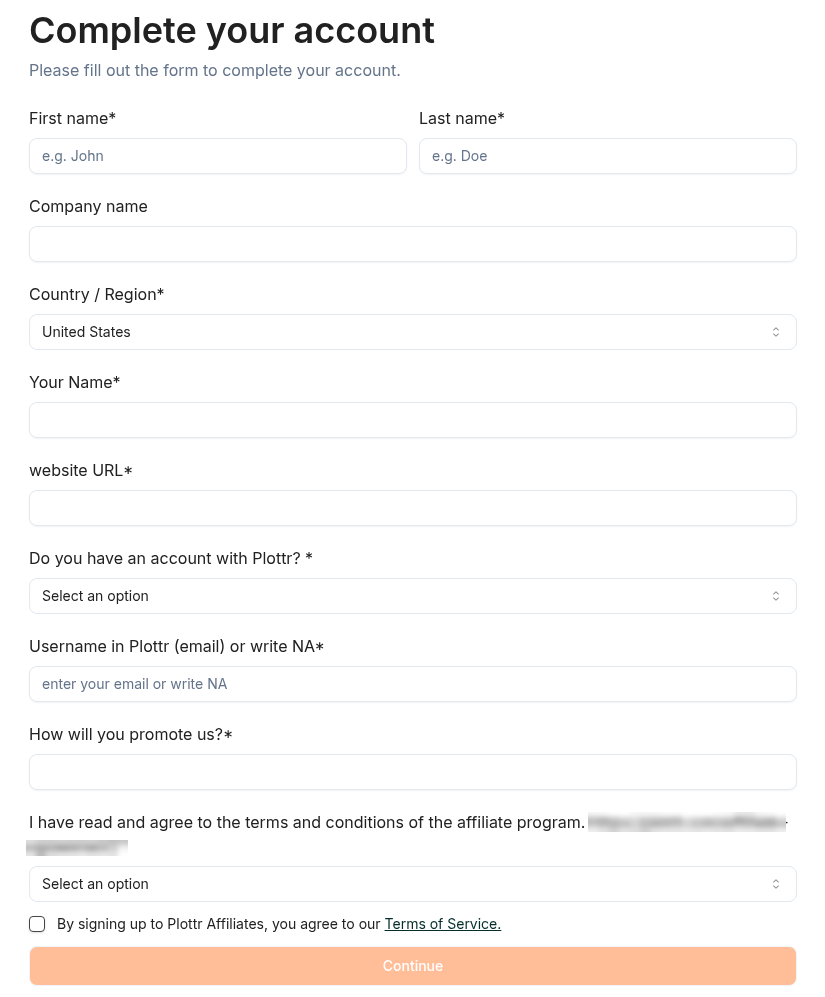
The Complete your account form.
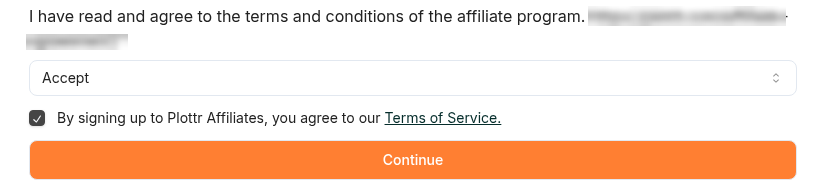
The terms question set to Accept, with the Terms of Service checkbox ticked.
-
Every application is reviewed by hand, and approval takes up to 7 days. We’ll email you once you’re approved. The agreement applies once you accept it at sign-up and we approve your application.
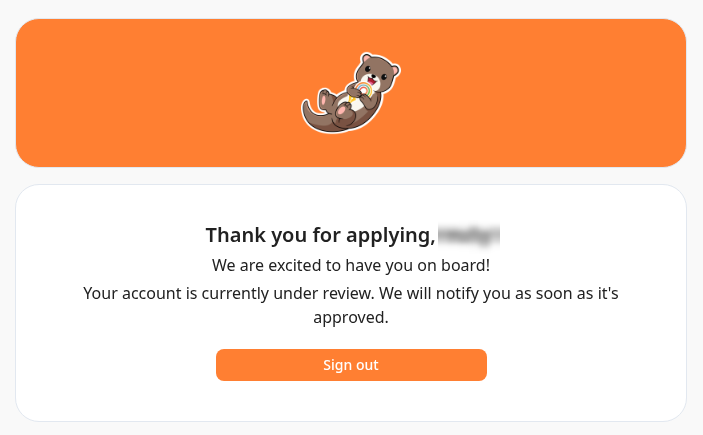
The Thank you for applying screen, which appears after you submit your application.
Part 2: How to find and share your affiliate links
Once you’re approved, log in to your Plottr Affiliates dashboard (hosted on Tolt) whenever you need your link.
- Log in at https://plottr.tolt.io.
-
Your main affiliate link sits in the Links table on your dashboard and starts with plottr.com/?ref=. Select the link text and copy it (Ctrl+C on Windows or Cmd+C on a Mac). There isn’t a Copy button on the main link. If you’d like a copy icon, make a short link (see below).
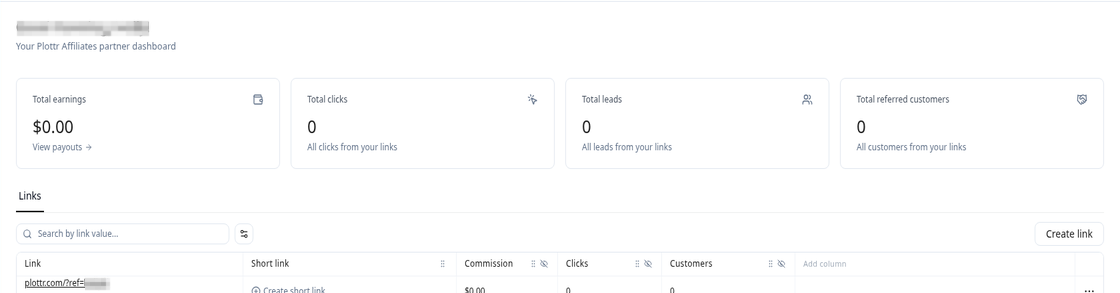
The dashboard Links table, with the main affiliate link starting with plottr.com/?ref=.
- Share your link wherever you already talk to writers — your website, newsletter, or socials are all good places to start.
Track your referrals
Your dashboard also shows how your links are doing. At the top you’ll see totals for clicks and referred customers, plus a Recent referrals list. For more detail, open Customers or Reports in the left menu. For a new customer, the referral cookie only works in the browser they clicked from. A new customer’s purchase also won’t count if they buy on a different device, after 60 days, or after clearing or blocking cookies.
Tips for sharing your link
- Add a short line wherever you share it, such as “I earn a commission if you buy through my link, at no extra cost to you.”
- Keep the details accurate, and don’t present yourself as Plottr or as speaking for Plottr.
- You won’t earn commission on purchases made by you, your household, or through accounts you control, so use a regular checkout when you’re buying Plottr for yourself.
Link to a specific page
Want to send people straight to a certain page? Add your code to any page on plottr.com, like https://plottr.com/features/?ref=YOURCODE or https://plottr.com/pricing/?ref=YOURCODE. You'll get credit the same way as with your main link. Your code is the part after ?ref= in the link in your dashboard. This works on pages of the main plottr.com website, but not on docs.plottr.com or app.plottr.com. If the URL already has a question mark in it, add &ref=YOURCODE instead.
Rules for sharing your links
Share only the links or codes Plottr gives you. Please don’t post Plottr, its codes or its offers on coupon or deal sites, bid on “Plottr,” misspellings of it, or variations of it in search ads (other keywords are fine). Don't pay anyone, or offer cashback, rebates or other incentives, for buying through your link unless we've approved it in writing first. Also, don’t use “Plottr” or a confusingly similar name in a domain, social handle, or app or account name without Plottr’s written OK. Only email people who have agreed to hear from you, and follow the email laws that apply to you.
Create extra links
On your dashboard you can also create extra links, including an optional short link. Look for Create link and Generate short link. Short links include a copy icon. Extra links are handy when you want a different link for each place you share Plottr — for example, one for your newsletter and one for a blog post — so you can compare how they do.
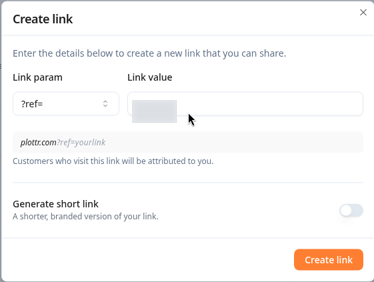
The Create link form, including the Generate short link option.
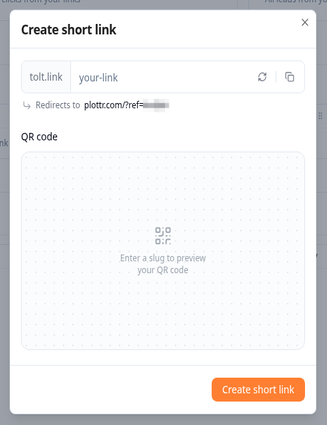
The Create short link window, with a copy icon and a destination starting with plottr.com/?ref=.
Getting paid
In your dashboard, select Payouts, then Add payout method, and choose PayPal or Wise.

The Payouts page.
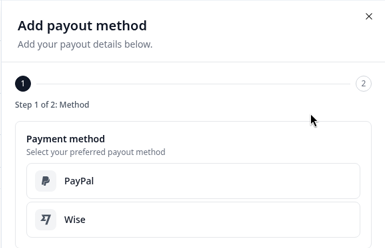
Choosing a payout method (PayPal or Wise).
Payouts are made monthly by PayPal or Wise once you’ve earned at least $50. Approved commissions for a given month go out 30 days after that month ends. Smaller balances carry over to the next month. If PayPal or Wise charges a fee to receive the payment, that fee is yours to cover. Payouts are in U.S. dollars. Before your first payout, you’ll need to submit a Form W-9 (U.S.) or Form W-8BEN / W-8BEN-E (outside the U.S.) through Tolt or as Plottr directs. Payouts are held until we receive it.
Common questions
How much commission do I earn?
You earn 20% of the first payment of every eligible purchase made by a customer credited to you, including monthly, annual and lifetime plans, Roadmap Packs, courses and anything else Plottr sells on plottr.com. Renewals don’t earn commission. Once a customer is credited to you, their later eligible purchases also earn 20% of the first payment of each purchase, even if they don’t click your link again. They stay credited to you while your affiliate account is active, even if they later click another affiliate’s link.
I was an affiliate before. Where do I log in now?
Our affiliate program now runs on Tolt. Try logging in at https://plottr.tolt.io with the email you used before. If you can’t get in, email us at support@plottr.com.
Does my own purchase count?
No. Your own purchases, purchases by your household, and purchases through accounts you control don’t earn commission.
What if a customer is refunded?
Refunds or chargebacks before payout cancel the commission.
Do I need to tell people I’m an affiliate?
Yes. Please add a short line like “I earn a commission if you buy through my link, at no extra cost to you” wherever you share it.
I’m a Plottr Story Studio instructor. Do I still earn affiliate commission?
Yes. If you’re also an affiliate, you still earn commission on sales that come through your affiliate link — on top of your teaching fee. We don’t take it out of what we pay you to teach.
Need help?
Need a hand? Email us at support@plottr.com and we’ll help you out.